
 Example of the Library style
Men · Casual & lifestyle · “Library” style
AI Library Author Portrait for Men
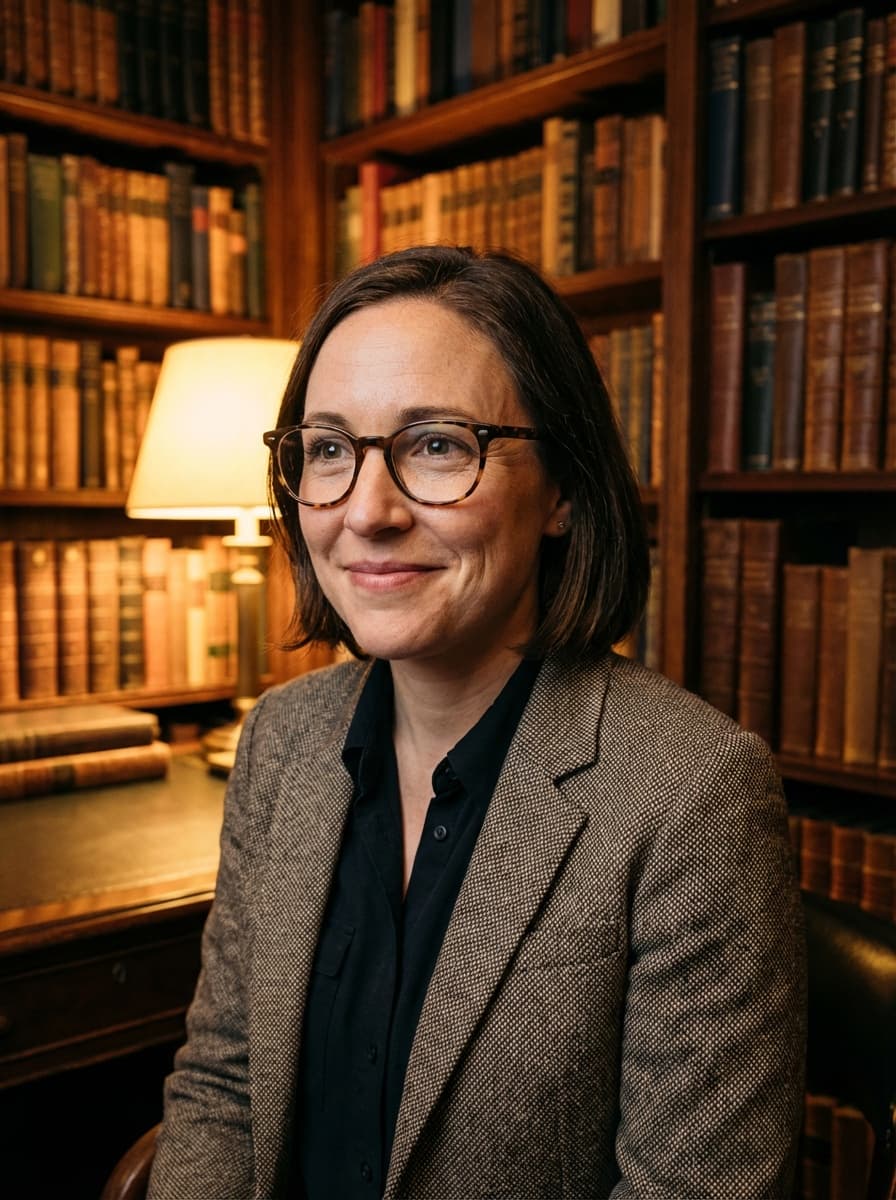
Floor-to-ceiling wooden bookshelves, a leather armchair and a brown tweed blazer over a chambray shirt: the classic author or professor portrait. Warm window light gives it an inviting, intellectual mood — perfect for a book jacket or a faculty page.
Best for
- Book jackets and author websites
- Professors and faculty pages
- Researchers and PhD candidates
- Newsletter and Substack profiles
2 HD photos per style · $1.49 per photo on the web, no subscription · ready in minutes
What the Library style looks like
Your face comes from your selfies. Everything else — clothes, location and light — is created by HeyPhoto's AI to match this look.
Outfit
Brown tweed blazer over a blue chambray shirt.
Setting
A library with floor-to-ceiling wooden bookshelves; seated in a leather armchair.
Lighting
Warm sunlight from a window to one side.
Expression
Curious, engaged and intellectual.
How to get an AI library author portrait from your selfies
- 01
Upload 3 selfies
One straight-on and two at a slight angle, taken in good light. Ordinary phone selfies are perfect — no studio or photographer needed.
- 02
Choose “Library”
In the style picker, tap Male › Casual › Library. Optionally fine-tune hairstyle, glasses or age, and add any other styles you like — each one gives you 2 photos.
- 03
Download your library author portrait
Your HD photos are ready in a few minutes. Download them and use them anywhere — they're yours to keep, with no watermark.
Selfie tips for a warm indoor portrait
For the Library style
If you wear glasses day to day, keep them on in at least one selfie (or switch glasses on in customization) — they suit this look.
- Window light at home is perfect — sit facing the window, not with it behind you.
- A relaxed expression matters more than your outfit; take a few and keep the most natural.
- Remove hats and sunglasses; glasses you wear every day are fine.
- Use photos from the last few months so the result matches how you look now.
Library Author Portrait FAQ
What makes a good author photo?
A setting that hints at your work, warm light and an engaged expression. A library backdrop is the classic choice for non-fiction, academic and literary authors, and this style recreates it without booking a session.
How do I get the Library style?
Download HeyPhoto from the App Store or use it on the web. Upload 3 selfies, then choose Male › Casual › Library in the style picker. Each style gives you 2 HD photos (on the web it's $1.49 per photo, no subscription), and you can add as many other styles to the same order as you like.
Is a warm, indoor portrait professional enough?
For coaching, teaching, writing, healthcare, community and many creative roles, a warm indoor portrait builds trust faster than a stark studio shot. For formal corporate profiles, pair it with a studio style in the same order.
Will my library author portrait still look like me?
That's the point of HeyPhoto. Your face shape, features and skin tone come from your selfies — only the outfit, background, lighting and pose change. If a result doesn't look like you, report it and you can get a free regeneration.
Can I change my hairstyle or add glasses?
Yes. After uploading you can adjust hairstyle, glasses, age range, eye color and body type — or leave everything on default to keep your look from the selfies.
What happens to my selfies?
They're sent over an encrypted connection and used only to generate your photos. Uploaded selfies are deleted from our processing servers after your order (usually within 24 hours, always within 30 days), and they're never used to train AI models. Details are in our Privacy Policy.
Similar styles for men
See all 96 styles →
Senior Professional Portrait
“Experienced” style

70s Retro Portrait
“Retro” style

Creative Casual Portrait
“Charismatic” style

Casual Headshot
“Calm” style

Christmas Fireplace Portrait
“Fireplace” style

Warm Friendly Headshot
“Nurturing” style
Also available for women
AI Library Author Portrait for Women
Get your library author portrait in minutes
Three selfies in, studio-quality portraits out. Use HeyPhoto on your iPhone or right here in your browser.